Other Software:   Free PC Keylogger PG Extractor Manga Downloader
Complete Guide 2026

How to Download Manga Chapters
for Offline Reading

MangaPlus · MangaFire · Bato.to · MangaDex · WebToons & more — save any chapter as PDF in seconds

⬇ Install All Images & Manga Downloader

Love reading manga online but wish you could enjoy your favorite chapters offline — on a plane, in bed, or anywhere without Wi-Fi? You're not alone. Millions of manga fans use popular online readers every day, but these platforms are online-only: once you close your browser or lose connection, your chapter is gone.

In this guide we cover the best online manga reading platforms, explain how each works, and then show you step by step how to use the free Chrome extension All Images & Manga Downloader to save any chapter as a clean, single PDF — for personal offline use.

Table of Contents
  1. Best Online Manga Reading Sites
  2. All Images & Manga Downloader — Overview
  3. How to Download a Manga Chapter (Step by Step)
  4. Video Tutorial
  5. FAQ
  6. Legal Disclaimer

📚 Best Online Manga Reading Sites

All the platforms below display manga in a vertical scrolling format, loading pages lazily as you scroll — which makes them ideal candidates for a smart image-capture extension. Here is a comprehensive overview of the most popular ones.

1

MangaPlus

mangaplus.shueisha.co.jp — Official & Legal

MangaPlus is the official free manga platform run by Shueisha, the powerhouse Japanese publisher behind One Piece, Jujutsu Kaisen, Naruto, Dragon Ball, and My Hero Academia. It is one of the most legitimate and trusted places to read manga online.

✓ Official licensed content
✓ Same-day Japan releases
✓ No account needed (free)
✓ 10+ languages supported
⚠ Only first & last 3 chapters free
⚠ Blocked in JP, CN, KR
Best for: Shonen Jump fans wanting the latest official chapters the moment they drop.
2

MangaFire

mangafire.to — Scanlation / Unofficial

MangaFire is one of the most popular unofficial manga readers, boasting a library of over 30,000 titles across every genre. It stands out for its genuinely clean, zero pop-up interface — rare among free manga sites.

✓ 30,000+ titles
✓ Zero pop-up ads
✓ Dark & light themes
✓ Daily chapter updates
✓ Resume across devices
⚠ Unofficial / gray area
Best for: Readers who want an enormous library with the cleanest interface available.
3

Bato.to

bato.to — Community Scanlation Hub

Bato.to (also known as BATO) is a community-driven scanlation hub beloved for its extensive collection of hard-to-find titles alongside mainstream hits. It mixes fan translations with officially licensed works, making it a great discovery platform.

✓ Rare & niche titles
✓ Active community uploads
✓ Multiple image quality modes
✓ Manhwa & manhua too
⚠ Quality varies by uploader
⚠ Unofficial / gray area
Best for: Discovering rare titles and manhwa/manhua alongside classic manga.
4

MangaDex

mangadex.org — Community Platform

MangaDex is one of the most respected community-driven manga platforms, known for its best-in-class image quality and support for an extraordinary number of languages. Users upload scanlations and fan translations, making it a truly global library.

✓ Best image quality
✓ 30+ languages
✓ Social / follow system
✓ Huge catalog
⚠ Removes licensed translations
⚠ Occasional downtime
Best for: Readers who prioritize image quality and multilingual fan translations.
5

ComicK

comick.io — Scanlation / Clean UI

ComicK stands out with its excellent user interface, minimal image compression, and advanced filtering by detailed tags and categories. It's favored by readers who want to discover new titles based on granular genre and theme filters.

✓ Minimal image compression
✓ Advanced tag filtering
✓ Clean modern UI
✓ Huge library
⚠ Login needed for some content
⚠ Updates may lag behind
Best for: Discovery-focused readers who love drilling into specific tags and sub-genres.
6

Webtoon (LINE Webtoon)

webtoons.com — Official Platform

Webtoon pioneered the infinite vertical scroll format now used across the industry. While technically hosting webtoons (primarily Korean) rather than traditional manga, its vast library of manga-style stories and seamless mobile experience make it essential reading for fans of illustrated serial fiction.

✓ Mobile-first vertical scroll
✓ Many free official series
✓ Strong creator community
✓ Color illustrations
⚠ Korean webtoon focus
⚠ Early access = paid coins
Best for: Color webtoon and manhwa fans who enjoy mobile-optimized full-color stories.
7

VIZ Media

viz.com — Official & Legal

VIZ Media is one of the leading official manga publishers in the West, offering a massive catalog of 10,000+ chapters including hits like Bleach, Naruto, One-Punch Man, and Demon Slayer. Free previews go up to 60 pages per volume.

✓ Official translations
✓ 60-page free previews
✓ No sign-up for free tiers
✓ 7-day free trial
⚠ US/UK/Ireland focused
⚠ $1.99/mo for full access
Best for: English-language readers who want official, high-quality translations of classic series.
8

ComicWalker

comicwalker.com — Official (Kadokawa)

ComicWalker, powered by Kadokawa, provides a rich selection of official free manga featuring full-color chapters and exclusive series in romance, fantasy, and action. It supports vertical scrolling and multilingual options, with regular promotional events giving access to dozens of free episodes.

✓ Official Kadokawa titles
✓ Full-color chapters
✓ Vertical scroll support
✓ Regular free events
⚠ Mostly Japanese interface
⚠ Limited English titles
Best for: Readers interested in Kadokawa's catalog and official full-color manga.

Other Notable Manga Sites

Site Focus Type Scroll
MangaPark General manga, all genres Unofficial ✓ Vertical
MangaHere Wide genre variety, news Unofficial ✓ Vertical
MangaFox Large archive since 2008 Unofficial ✓ Vertical
Mangago Yaoi, shojo, romance Unofficial ✓ Vertical
Weeb Central Official translations Semi-official ✓ Vertical
Crunchyroll Manga Anime-linked manga Official ✓ Vertical
VyManga Free, wide selection Unofficial ✓ Vertical

🔧 All Images & Manga Downloader — Overview
All Images Downloader - Live scan gallery All Images Downloader - Filters and export

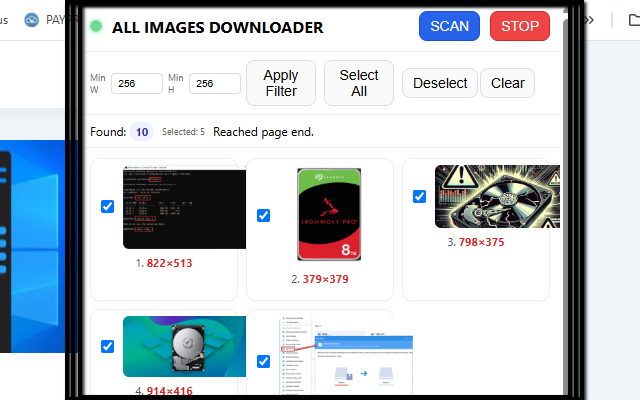
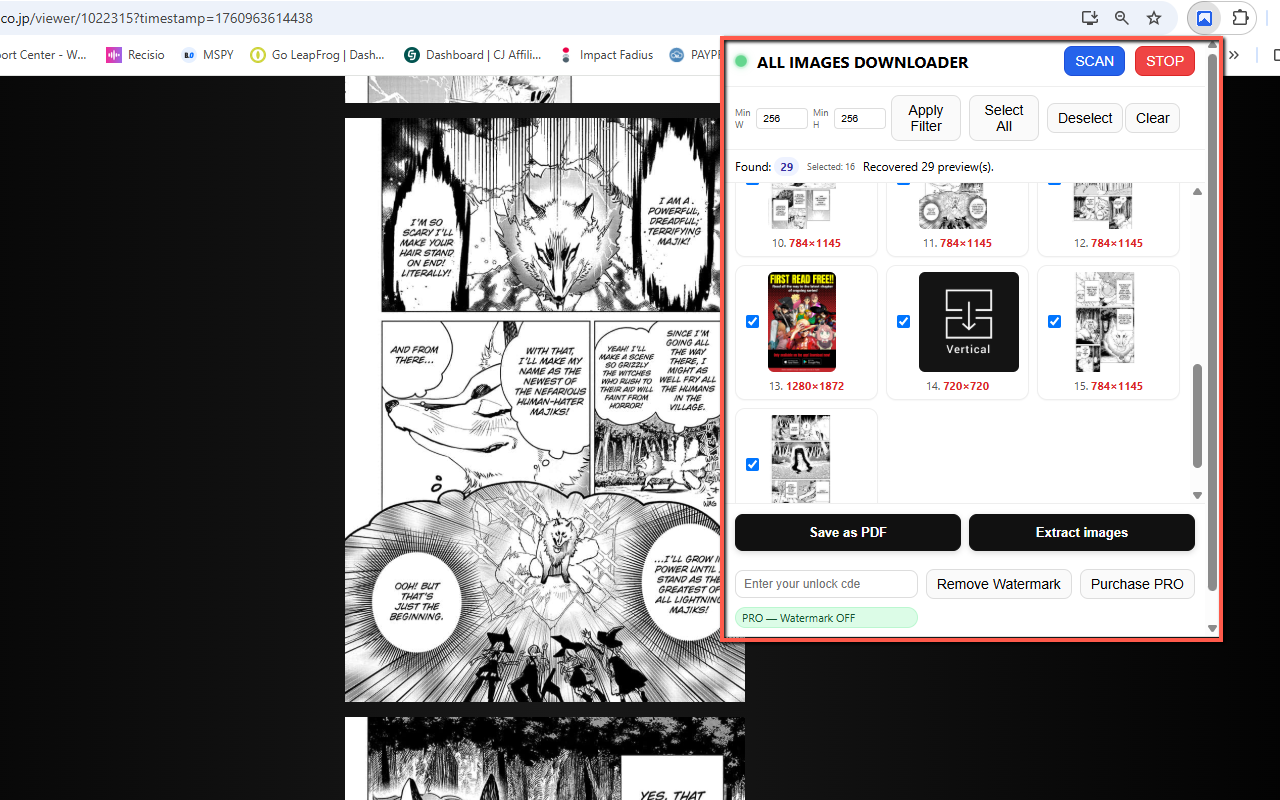
All Images & Manga Downloader is a Chrome extension that scans any webpage and grabs every image it can find — including tricky blob: and data: sources, classic <img src> tags, canvas-rendered images, and custom data-url attributes. It then lets you export everything either as individual files or as a single, clean PDF — perfect for offline manga reading.

🖼️
Blob & Data URI Support
Captures images served as blob URLs and base64 data URIs — common on modern manga readers.
⬇️
Auto-Scroll Scanner
Automatically scrolls the page to trigger lazy-loaded images, filling the gallery in real time.
📐
Size Filters
Set minimum Width and Height to skip thumbnails, icons, and ad banners automatically.
📄
Save as PDF
Exports selected images into a single multi-page PDF — no print dialog, built entirely in-memory.
💾
IndexedDB Persistence
Originals cached locally in IndexedDB — previews and exports stay high-res even after reopening.
🎌
Manga / Comics Optimized
Purpose-built for modern manga readers with infinite scroll, canvas rendering, and lazy loading.
Free vs PRO
FREE
All features available, but exported PDFs include a red watermark overlay ("DEMO").
PRO (Unlock Code)
Removes watermark entirely. Clean, professional PDF output. One-time purchase via PayPro Global.
⬇ Install from Chrome Web Store — Free

📖 How to Download a Manga Chapter — Step by Step

The process is identical regardless of which manga site you use — MangaPlus, MangaFire, Bato.to, MangaDex, or any other scrolling reader. Here is the complete workflow:

1
Install the Extension

Go to the Chrome Web Store page and click Add to Chrome. Once installed, pin the extension icon next to your address bar for easy access.

2
Open the Manga Chapter

Navigate to your manga site of choice (MangaPlus, MangaFire, Bato.to, etc.) and open the specific chapter you want to save. Let the page fully load before proceeding.

3
Click SCAN

Click the extension icon to open the popup, then press the SCAN button. The extension will automatically scroll the page top-to-bottom to trigger all lazy-loaded images, capturing them in real time into the gallery preview.

4
Apply Size Filters

Use the Min Width and Min Height sliders to filter out small images like avatars, icons, and ad banners. For manga pages, a minimum of 300–400px on both axes usually works well to keep only the full-size panel images.

5
Select the Images

Use Select All to grab everything, or click individual checkboxes to select specific pages. The live gallery lets you preview each image before exporting, so you can deselect anything you don't need.

6
Export

Choose your export mode:

📄 Save as PDF
All selected pages compiled into one PDF file — perfect for an e-reader or tablet. No print dialog.
🗂️ Extract Images
Each page saved as a separate image file to your Downloads folder. Ideal for manga reader apps.
💡 Pro Tip

The extension stores original images in IndexedDB locally in your browser, so even if you close the popup and reopen it later, your previously scanned images are still there at full resolution — ready to export without needing to rescan the page.

🎬 Video Tutorial

Watch the official walkthrough to see the extension in action on a real manga chapter:

Can't see the video? Visit the official extension page for the full tutorial.

❓ Frequently Asked Questions

Does it work on all manga sites?

Yes. The extension is designed for modern scrolling sites with blob/data image sources, canvas rendering, lazy loading, and custom image attributes. It works on MangaPlus, MangaFire, Bato.to, MangaDex, ComicK, Webtoon, and most other scrolling manga readers.

Why are some images missing from the PDF?

Some sites enforce strict CORS headers that block pixel-level access for PDF embedding. In these cases, the extension can still download the original image URL (especially in PRO mode), but may skip embedding those specific images in the PDF.

What is the watermark in the free version?

The free version adds a red "DEMO" watermark overlay to exported PDFs. All other features work identically. Upgrading to PRO removes the watermark completely, giving you clean, print-ready PDF output.

Is my data tracked or sent anywhere?

No. There are no accounts, no tracking, and no analytics. Everything runs locally inside your browser. Settings and cached images are stored on your device only.

What permissions does the extension need?

activeTab — access the current page when you click SCAN.

scripting — inject the lightweight scanner content script.

downloads — save images and PDFs to your device.

storage — remember settings and license status.

Host permissions — allow reading images where CORS permits for PDF export.

⚖️ Legal Disclaimer

This guide is intended for personal, offline use only. Downloading manga chapter images to read without an internet connection for content you have already accessed via an official or authorized platform is generally considered acceptable personal backup use in many jurisdictions.

You should not redistribute, re-upload, or use downloaded images commercially. Always support the original creators by using official platforms (MangaPlus, VIZ, Crunchyroll, etc.) whenever possible. Accessing unlicensed scanlation sites may be illegal in your country — check your local copyright laws.

Ready to read offline?

Download Any Manga Chapter in Seconds

Free to install · No account required · Works on all scrolling manga sites

⬇ Install Free on Chrome
Extension homepage & full documentation →
© 2025 Best Chrome Extensions · OnlineGratis Extensions